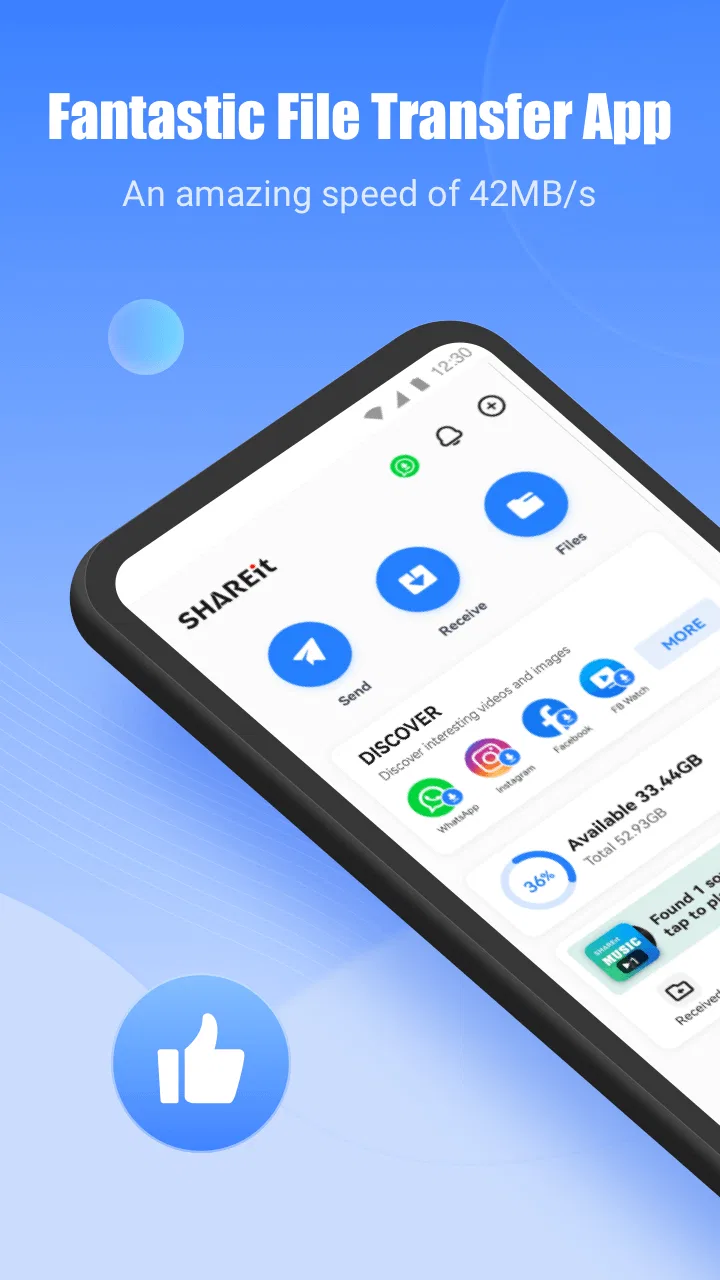
SHAREit: Transfer, Share Files
- 4.3
- Rating
- 1.00B
- Installs
- Free
- Price

 Analysis by App-foxy
I have always found file-transfer apps most useful when the problem is immediate: a video is too large for a message, a new phone needs several folders moved, or a game installer has to reach another device without passing through cloud storage. SHAREit: Transfer, Share Files is built around that kind of moment. It is a free tools app from Smart Media4U Technology Pte.Ltd. that combines device-to-device sharing with a file manager and video-downloading tools.
Its scale is hard to ignore. The app has more than a billion installs, an average rating of 4.3 from around 18 million ratings, and roughly 57 thousand written reviews. Those figures suggest that it has become a familiar option for people who regularly move files between mobile devices. My experience is more mixed in a useful way: it can be very convenient when both devices cooperate, but it is not the cleanest choice for every transfer or every user.
What SHAREit feels like when speed matters
The main appeal is avoiding the usual upload-and-download cycle. Instead of sending a large file through a messaging service, I can use the transfer workflow to select photos, videos, documents, or games and move them directly between compatible devices. That makes the app especially practical when the file is too large for an ordinary chat attachment or when I do not want to spend time managing temporary cloud copies.
You May Also Like

 AccuWeather: Weather Radar
AccuWeather Review: A Quick, Clear Forecast for Everyday Decisions
For everyday plans, the best forecast is the one you can understand quickly. AccuWeather makes rain timing, radar, and local conditions easy to act on, with a few trade-offs.

 Hill Climb Racing
Why Hill Climb Racing Still Turns Crashes Into One More Run
A tiny car, a bumpy hill and one more upgrade: Hill Climb Racing keeps resurfacing because its simple chaos makes every near-miss feel personal.

 AliExpress - Shopping App
AliExpress Makes Global Shopping Feel Personal, but Shoppers Bear the Risk
AliExpress turns a global marketplace into a pocket-sized discovery engine. Its reach is useful, its shopping loop compelling, and its trade-offs easy to miss.

 Lords Mobile: Kingdom Wars
Lords Mobile Is a Kingdom-Building Routine, Not a Quick Match
A case-by-case verdict on the building, battles, device demands, and social commitments that make Lords Mobile rewarding for some players and exhausting for others.

 PDF Scanner app - TapScanner
TapScanner Makes Paperwork Easier to Capture, Check, and Share
TapScanner makes scanning with a phone feel less like a rescue operation and more like a dependable step in getting work done. Its capture tools are useful, though not flawless.

 Block Blast!
Block Blast! Shows How Much a Puzzle Game Can Leave Out
A quiet grid game shows why puzzle players increasingly value instant clarity, repeatable skill and low-pressure play—and where the genre still needs to catch up.
More From Our News Desk
View All News


It is important to keep expectations realistic. SHAREit is not a magic replacement for every network condition. The experience depends on the two devices, their connection setup, the file type, and the amount of material selected at once. A handful of photos is a simple job; a large video collection or several game files creates a much heavier session. The interface may make the process look straightforward, but the transfer still has to be prepared properly on both ends.
For that reason, I usually start with a small test file when moving something important. This is a useful habit if the devices have different operating systems, unusual storage arrangements, or a lot of background activity. A short test confirms that the receiving device is visible and that the selected destination behaves as expected before I commit to a long queue.
The app is also more useful than a basic “send” button because it includes file-management tools. I can browse what is stored locally, identify large items, and choose content with more control than I get from a generic sharing panel. That matters when I am trying to reduce clutter rather than simply copy everything. The ability to work with games is another reason some users will prefer it over a standard photo-sharing tool.
Where the transfer workflow saves time
A realistic example is moving footage from one phone to another after a family event. I might have several long videos that are awkward to attach to messages and inconvenient to push into cloud storage first. With SHAREit, I can select the group from the file manager, prepare the receiving phone, and let the transfer run as one task. The practical advantage is not just speed; it is fewer intermediate copies and less time spent switching between apps.
Another useful situation is helping someone set up a replacement phone. Rather than manually locating every image and document, I can use the app to select categories or folders and transfer them in a more deliberate batch. I still review the selection carefully, because a broad transfer can bring along downloads, duplicate media, or files that the recipient does not actually need.
One less obvious tip is to split a very large job into sensible groups. Photos, videos, documents, and game files do not need to be sent together. Smaller batches make it easier to identify which part caused a problem, and they reduce the frustration of restarting an entire session after an interruption. This is especially valuable when the transfer involves limited free storage on the receiving device.
Heavy-use moments expose the trade-offs
SHAREit is at its most demanding when I ask it to handle a large mixed queue. Several high-resolution videos can occupy substantial space, while games may involve multiple related files that are easy to overlook when checking storage. Before starting, I look at the receiving phone’s available capacity and close unrelated tasks that might compete for attention. That preparation is more important than simply tapping “send” and hoping for the best.
Large transfers also make the app’s broader design more noticeable. SHAREit is not limited to a quiet utility screen; it includes a video downloader, a file manager, and other areas intended for different kinds of activity. That can be helpful if I want one place for several file-related jobs, but it can also make the app feel busier than a minimalist transfer utility. Users who only need a single occasional copy may find the extra sections unnecessary.
My preferred workflow is to clean the source first. I remove obvious duplicates, check whether a video already exists on the destination, and avoid selecting entire folders without looking inside them. This is not a special feature, but the file manager makes that more manageable. It also prevents the common mistake of transferring a lot of unwanted material and then having to sort it again on the other device.
For game transfers, I would treat the app as a convenience rather than a guarantee that every title will be ready to play immediately. Moving a file is not always the same as completing an installation or preserving every setting. The receiving device may still require its own setup steps, and compatibility can differ between devices. SHAREit is useful for getting the relevant files across, but I would not assume that it replaces the normal installation process in every case.
Stability and recovering from interruptions
Reliability matters more to me than a fast first impression. A transfer that starts quickly but leaves me uncertain about what arrived is less useful than a slower process with clear results. SHAREit works best when both phones remain available, the receiving side is ready before the queue begins, and I avoid moving the devices around unnecessarily during a large job.
If a session stops, I do not immediately resend the entire folder. I first check the destination for the files that completed, compare the remaining items with the original selection, and then retry only what is missing. This approach reduces duplicates and makes recovery less wasteful. It is a particularly good habit with videos, since duplicate large files can consume storage surprisingly quickly.
For important material, I keep the original files untouched until I have opened a few transferred items on the destination. A file appearing in the receiving list is not enough for my peace of mind; I want to confirm that photos display correctly and that videos play. Only after that check would I consider deleting the source copies. This cautious workflow is useful regardless of the transfer app, but SHAREit’s ability to handle sizeable batches makes it worth emphasizing.
Another practical recovery tip is to restart with a smaller selection rather than repeatedly retrying a failed giant queue. If one folder succeeds and another does not, the problem becomes easier to isolate. It also tells me whether the issue is related to a particular file group or to the connection between the devices. I find this much less frustrating than treating every interruption as a complete failure.
Device requirements and everyday constraints
The app supports older Android hardware, with a minimum operating system requirement of Android 4.2. That broad compatibility is useful for people moving files from an aging phone, although the real experience will still vary with the devices involved. A newer phone may browse and prepare content more comfortably, while an older one can feel slower when indexing a crowded storage area or handling a large queue.
Because the app combines transfers, file management, and video downloading, storage planning deserves attention. The tool itself is free, but large media jobs still consume space on the receiving device, and temporary working room can matter during a busy session. I would not begin a phone migration without checking capacity first. If the destination is nearly full, the app cannot solve that underlying limitation.
The age rating is Everyone, which fits the basic file-sharing purpose. Even so, I would be selective about what I send and to whom. The convenience of browsing a whole library can make it easy to share more than intended, especially when several folders contain personal images or downloaded documents. I prefer choosing individual categories or clearly named folders rather than approving a broad selection without review.
In-app purchases range from nineteen cents to seven dollars and ninety-nine cents per item. That does not change the central appeal for someone who only needs ordinary transfers, but it is worth knowing that the free download is not the same as saying every part of the wider app experience is entirely without optional paid elements. I would begin with the basic workflow and decide whether the additional areas are useful before spending anything.
The current version is 6.26.78_ww, and the app was released on April 28, 2013. The long history helps explain why it supports a wide range of file-related tasks and devices. It also means the product has grown beyond a narrowly focused transfer screen. In my view, that maturity is both a strength and a source of clutter: there is more capability available, but users have to pay attention to which parts they actually need.
How it compares with ordinary alternatives
For a few photos, the phone’s built-in sharing tools are often simpler. They require less setup and usually fit naturally into the gallery, so I would not open SHAREit for every tiny exchange. Messaging apps are also convenient when the files are small and the recipient already uses the same service, although they become less attractive for large videos, batches, or direct phone-to-phone moves.
Cloud storage is the better choice when the sender and receiver are in different places or when I need a lasting backup. It also makes files accessible from more than two devices. The trade-off is the upload step, account management, available storage, and the need to download again. SHAREit is more compelling when both devices are nearby and the goal is a direct handoff rather than long-term storage.
A computer and a cable remain a strong alternative for people who want a predictable archive or a carefully organized migration. Wired copying can feel more deliberate, especially for a large folder structure, and it avoids the need to prepare a second phone for a wireless session. SHAREit wins on convenience when I do not have a suitable cable or computer immediately available, but I would choose the computer route for a major backup that I want to inspect and preserve.
Dedicated sharing tools can also be cleaner if all I need is a single transfer function. SHAREit’s advantage is breadth: files, games, a manager, and downloading are gathered in one app. Its disadvantage is that someone seeking a quiet, focused utility may have to navigate more than necessary. The right choice depends on whether that extra range feels useful or distracting.
Who will benefit most from it
I would recommend SHAREit to people who frequently move large media collections between nearby mobile devices, help relatives set up phones, or want a practical way to pass game files without relying entirely on messaging. It is also a reasonable option for users who like having a file browser alongside the transfer process instead of selecting content only from individual apps.
I would be more cautious about recommending it to someone who transfers only an occasional photo, needs a permanent backup, or dislikes multi-purpose apps. For those users, built-in sharing, cloud storage, or a computer may be clearer. I would also skip it as the sole plan for irreplaceable files. A direct transfer is convenient, but it should not be confused with a backup strategy.
Privacy-conscious users should make deliberate selections and avoid treating the app as a place to casually browse and send an entire library. The safest everyday habit is to inspect the queue, confirm the recipient, and verify the result before removing originals. That small amount of attention prevents the most avoidable mistakes.
My performance verdict after using it
SHAREit succeeds when I judge it as a flexible transfer toolbox rather than a perfect one-tap solution. Its strongest moments are nearby, larger file moves where messaging is awkward and cloud storage feels unnecessarily slow. The file manager adds genuine value because it helps me locate and organize what I am about to send, while support for games broadens its usefulness beyond ordinary photos and documents.
The compromises are equally clear. Big queues need preparation, older or crowded devices may not feel equally comfortable, and the wider collection of tools can make the experience busier than a dedicated sharing utility. Recovery is manageable, but I still prefer smaller batches and careful verification over blindly repeating a failed transfer.
With a free price, an Everyone rating, long-running availability, and support for older Android versions, it is accessible to a broad audience. I would install it for practical device-to-device work, especially when a large video or folder needs to move now. I would not use it as my only backup, and I would choose a cable or cloud service when distance, archival organization, or maximum predictability matters more than convenience.
My final recommendation is straightforward: use SHAREit when direct mobile transfers are the problem you are trying to solve, prepare the receiving device first, divide heavy jobs into clear batches, and check the files before deleting anything. If that workflow matches your habits, SHAREit: Transfer, Share Files remains a useful tool rather than just another crowded file app.
FAQs for SHAREit: Transfer, Share Files
01What is SHAREit and how does it work?
SHAREit is a popular application that allows users to transfer files across different devices without the need for an internet connection. Utilizing direct Wi-Fi technology, it enables quick and efficient sharing of photos, videos, music, and documents between smartphones, tablets, and computers. This makes it a versatile tool for both personal and professional use.
02Is SHAREit safe to use for file transfers?
Yes, SHAREit is generally considered safe for transferring files. It uses secure direct connections, which minimizes the risk of data interception. However, users should always be cautious and avoid sharing sensitive information with unknown devices. Keeping the app updated ensures the latest security measures are in place.
03What file types can be transferred using SHAREit?
SHAREit supports a wide variety of file types, including photos, videos, music, documents, and even apps. This flexibility allows users to share almost anything from their device quickly and efficiently. Whether you need to transfer a large video file or a small text document, SHAREit can handle it without hassle.
04Does SHAREit require an internet connection to work?
No, SHAREit does not require an internet connection to transfer files. Instead, it creates a direct peer-to-peer Wi-Fi connection between devices, facilitating fast and efficient data transfer. This not only saves mobile data but also allows for file sharing in areas with limited or no internet access.
05Are there any limitations to using SHAREit?
While SHAREit is highly versatile, it does have some limitations. For example, both devices need to have the app installed to initiate transfers. Additionally, users may encounter occasional compatibility issues with certain devices or operating systems. Regular updates and checking device compatibility can help mitigate these issues.
Pros
- Fast file transfer without internet
- Supports a wide range of file types
- User-friendly interface
- Cross-platform compatibility
- No file size limitations
Cons
- Contains intrusive ads
- May have security concerns
- Occasional connection issues
- Not all features are free
- Requires permissions access

SHAREit: Transfer, Share Files
Gallery